Bitfinex Lending Guide: From Deposit to Your First Loan
Contents
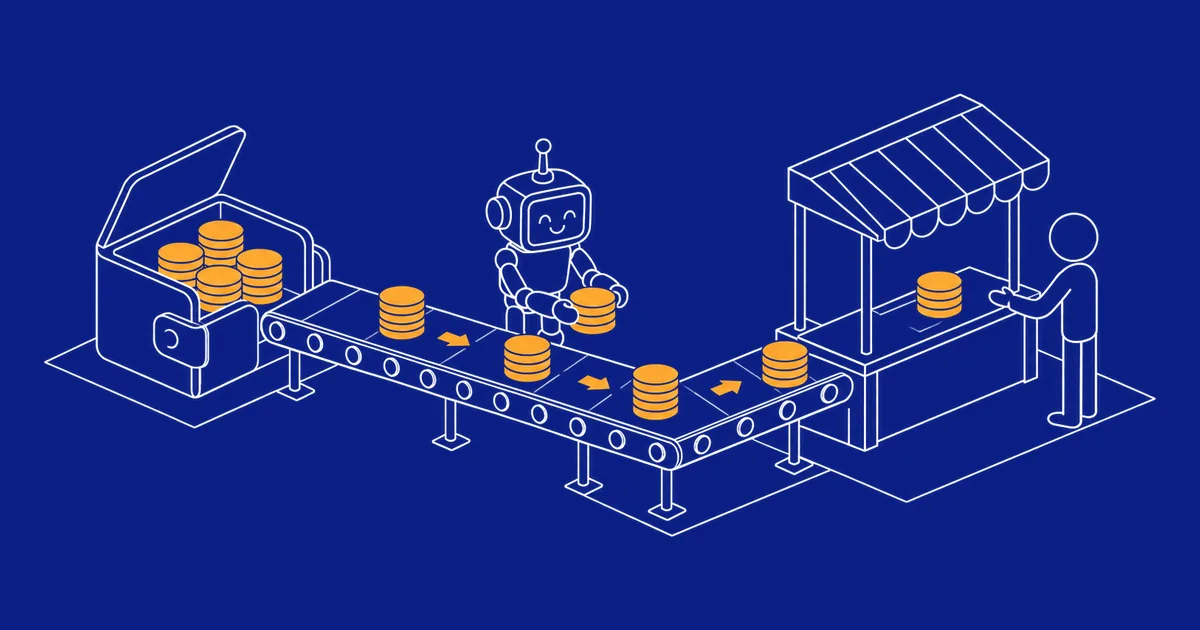
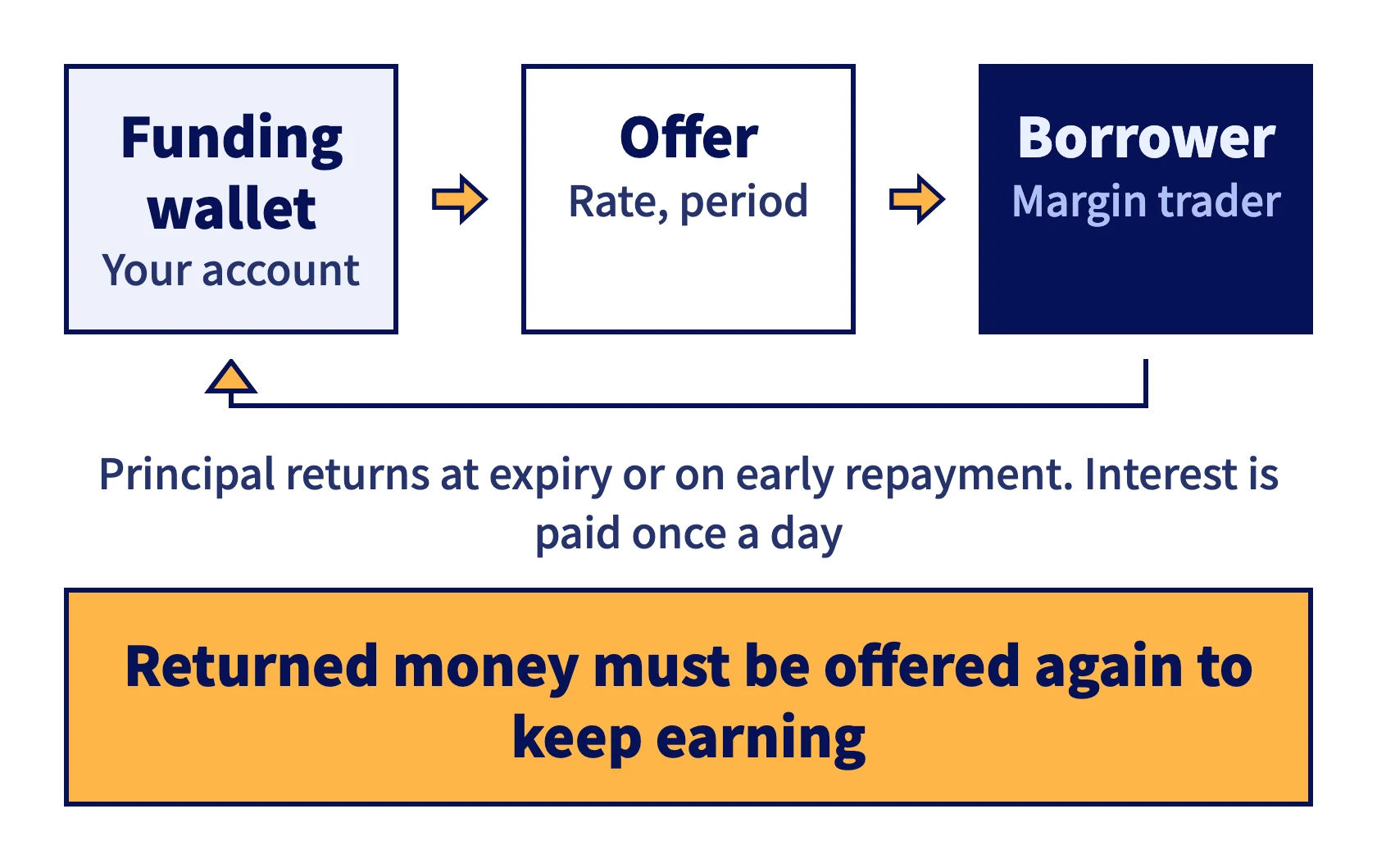
Lending on Bitfinex (the exchange calls it Margin Funding) means lending the money in your funding wallet to traders who use leverage on Bitfinex, and earning interest by the day. Your money stays on Bitfinex the whole time. Rates are set by the offers borrowers and lenders post, and they change every day.
This guide walks through getting your account ready and placing your first offer, then covers how interest works and where lending by hand gets tedious.
Before you start
Bitfinex requires Intermediate verification before you can use margin funding.
The minimum offer is 150 USD, or the equivalent in another currency. EZLO supports USD and USDT. In the Bitfinex API, USDT goes by UST, so its funding market is fUST.
Step 1: Move funds to your funding wallet
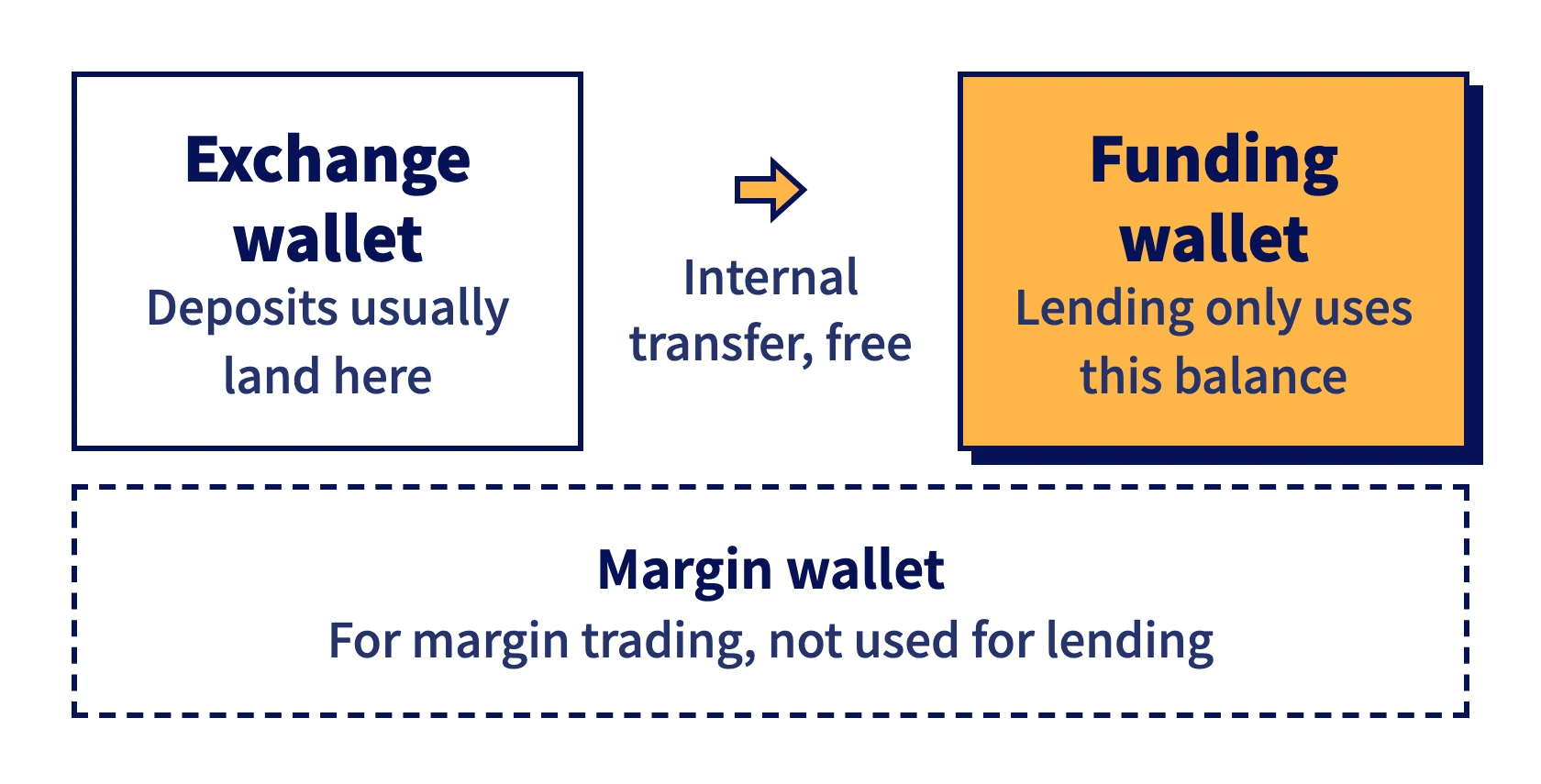
A Bitfinex account has three wallets: Exchange, Margin and Funding. Deposits usually land in the exchange wallet, but you can only lend from the funding wallet, so start with a transfer between your own wallets. Internal transfers are free.
Step 2: Read the funding market
Open the Funding page and pick a currency. You'll see both sides of the book: the rates borrowers are willing to pay, and the rates other lenders are asking for.
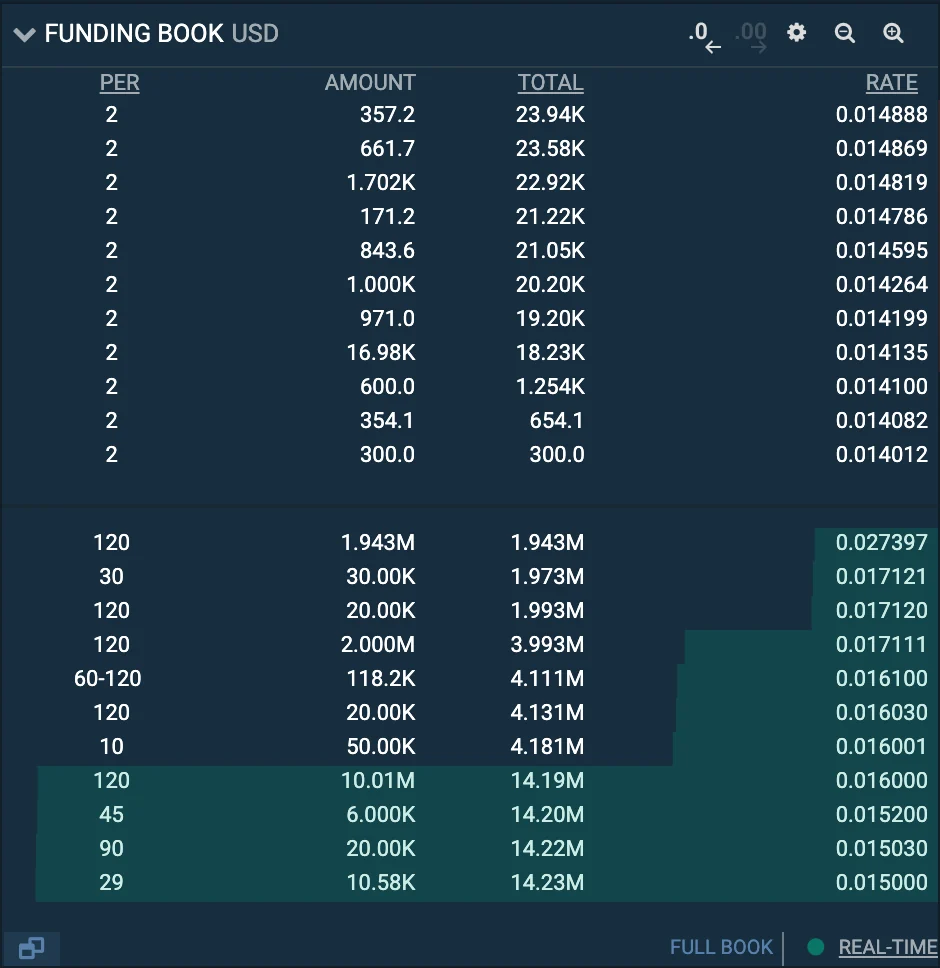 The USD funding book on Bitfinex, captured October 1, 2026. Lenders' offers are on top and borrowers' bids below, each row with a period, an amount and a daily rate
Rates are quoted per day. A daily rate of 0.03% × 365 comes to about 10.95% a year (APR, not compounded).
The page also shows FRR (Flash Return Rate): the average rate of all active fixed-rate loans, weighted by amount and updated every hour. Because it includes older loans whose rates were locked in earlier, it's a reference point, not the rate offers are filling at right now. More in What is FRR.
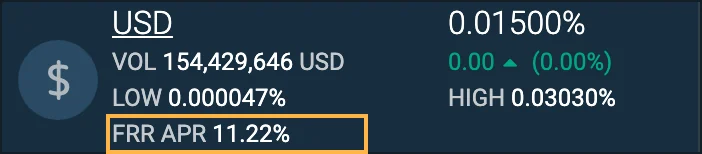 The USD ticker at the top left of the funding page. The boxed line is FRR as an APR, captured October 1, 2026
Step 3: Place an offer
The offer form needs three things:
- Amount: at least 150 USD.
- Rate: enter a fixed rate, or choose FRR so the rate follows FRR. There are also two FRR Delta options that add or subtract a fixed amount from FRR.
- Period: 2 to 120 days. This is the longest the borrower can keep the money, and they can repay early. See Bitfinex lending period for how to choose.
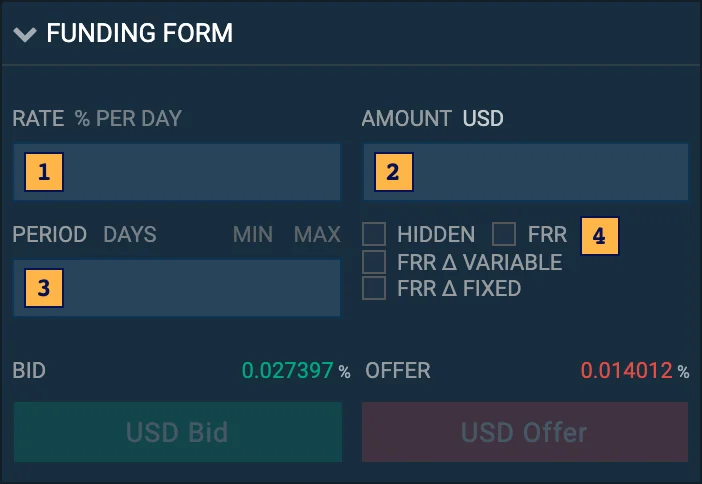 The Bitfinex funding form: 1 is the rate, 2 the amount, 3 the period, and 4 the FRR options
Once you submit, the offer waits for a borrower. Ask for a rate far above the market and it will just sit there unfilled. Other causes are covered in Bitfinex funding offer not filling?
How interest is paid
Interest is paid once a day, around 01:30 UTC.
Bitfinex keeps 15% of the interest as a fee, or 18% if you use a hidden offer.
If a borrower repays within an hour, you still get a full hour's interest.
An example: lend 1,000 USD at 0.03% a day and you earn 0.30 USD in a day, or 0.255 USD after the 15% fee.
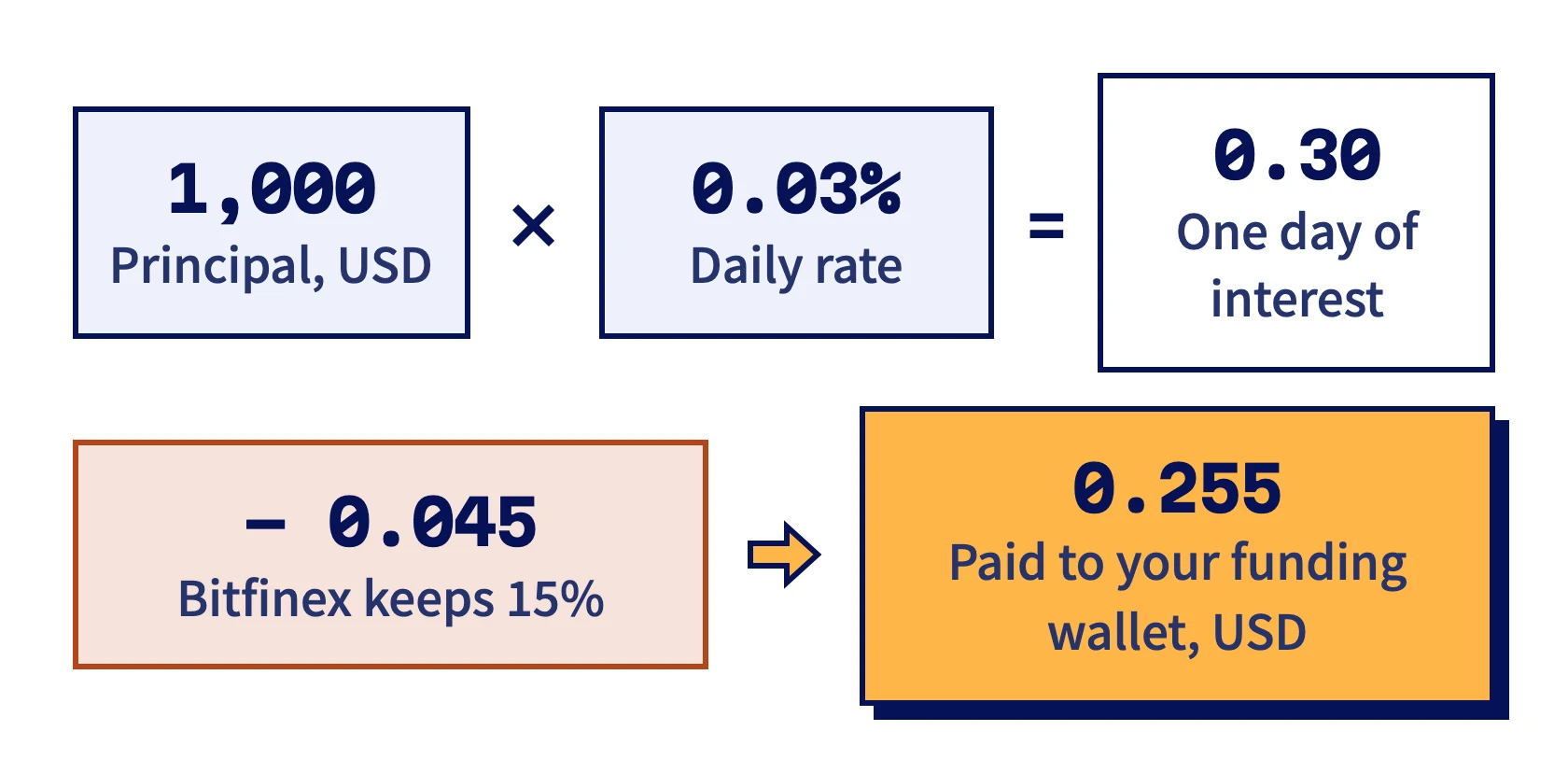
The full formula and more examples are in How Bitfinex lending interest works.
Auto-renew
Turn on auto-renew, set a maximum amount, a period and a rate, and Bitfinex offers your funds automatically whenever your funding wallet has at least 150 USD available. It kicks in when interest is paid, when a loan ends or is repaid early, and when you transfer in new funds.
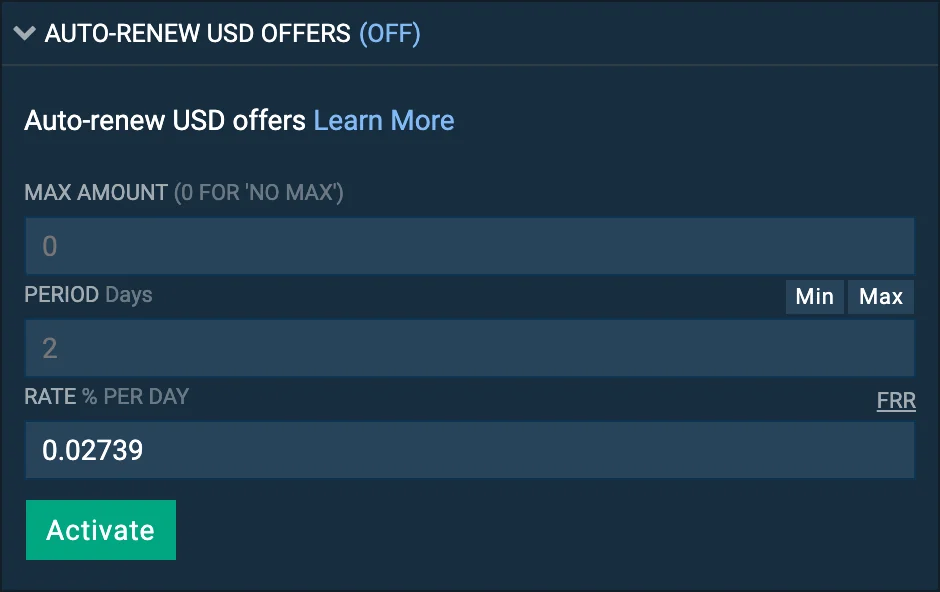 The auto-renew panel on the funding page. Each currency has its own max amount, period and rate, captured October 1, 2026
The rate can be fixed or FRR. The period and maximum amount stay as you set them, and a fixed rate doesn't move with the market.
Where lending by hand gets tedious
Short loans often come back before their term is up. Once the money is back in your funding wallet, it sits idle until someone offers it again.
Rates can also swing a lot within a single day. Ask too much and nobody borrows; ask too little and you leave money on the table. Auto-renew only knows one setup: a fixed rate falls behind the market, and FRR is a lagging average. Lending bots offer your money again as soon as it's back and price it off the current market. If you'd rather tune things by hand, Bitfinex lending tips lists what to adjust.
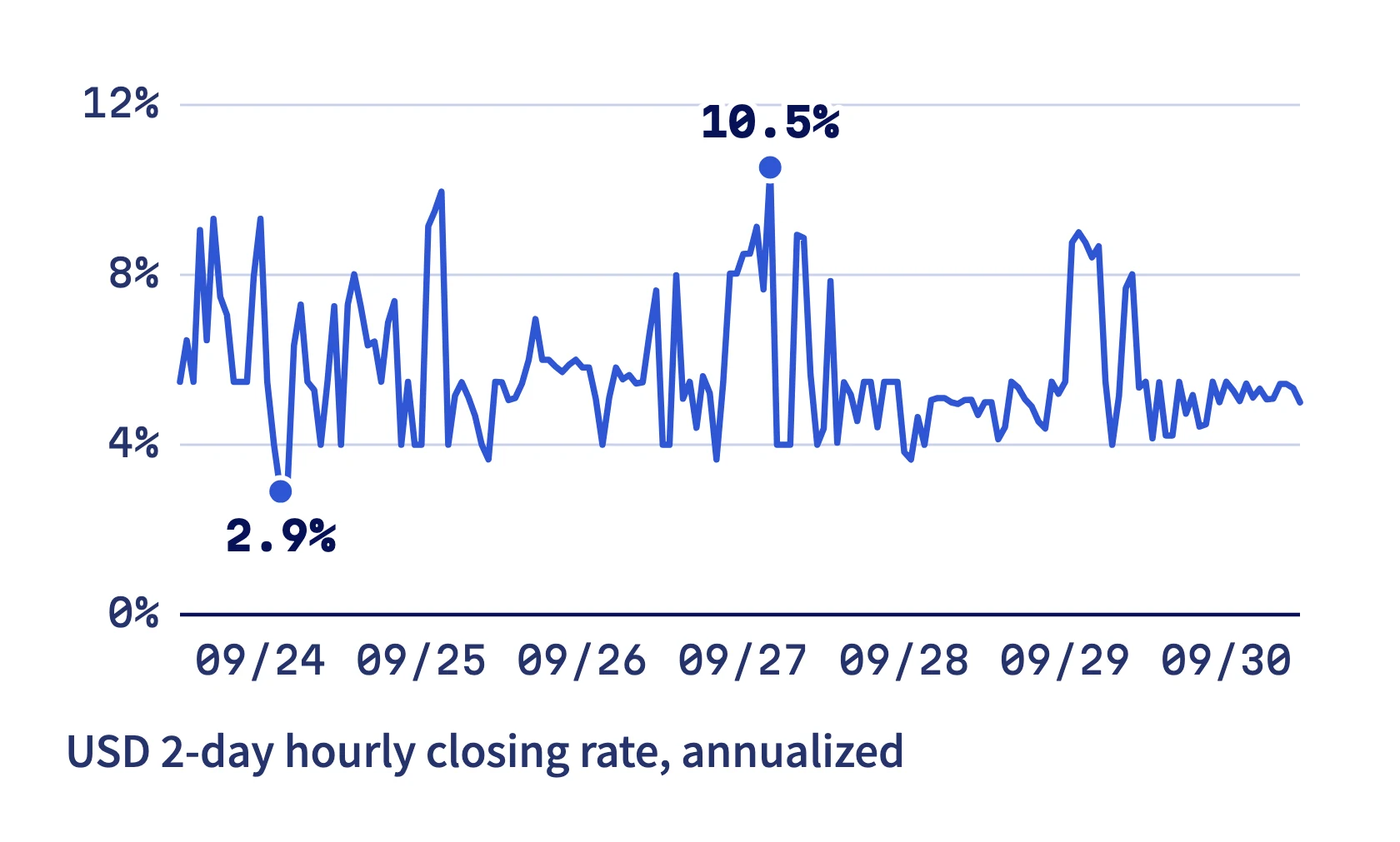 Hourly closing rate for 2-day USD loans, annualized, September 24 to 30, 2026. Source: Bitfinex public funding candles
Risks
Lending isn't a risk-free savings account.
- Your money sits on Bitfinex, so anything that happens to the exchange affects you.
- In a violent market, a borrower's position might not be liquidated in time. Bitfinex lists this as one of the risks of lending.
- Rates are set by the market. In quiet periods, they can drop to a single-digit APR.
- If you lock in a fixed rate for a long period and market rates rise afterwards, that money doesn't get the higher rate.
The details, and what you can do about each one, are in Is Bitfinex lending safe?
Handing it to a bot
EZLO places your offers through an API key with only read and funding permissions. It has no withdrawal access, and your money stays in your own Bitfinex account. You pay a flat yearly fee, with no cut of your interest.
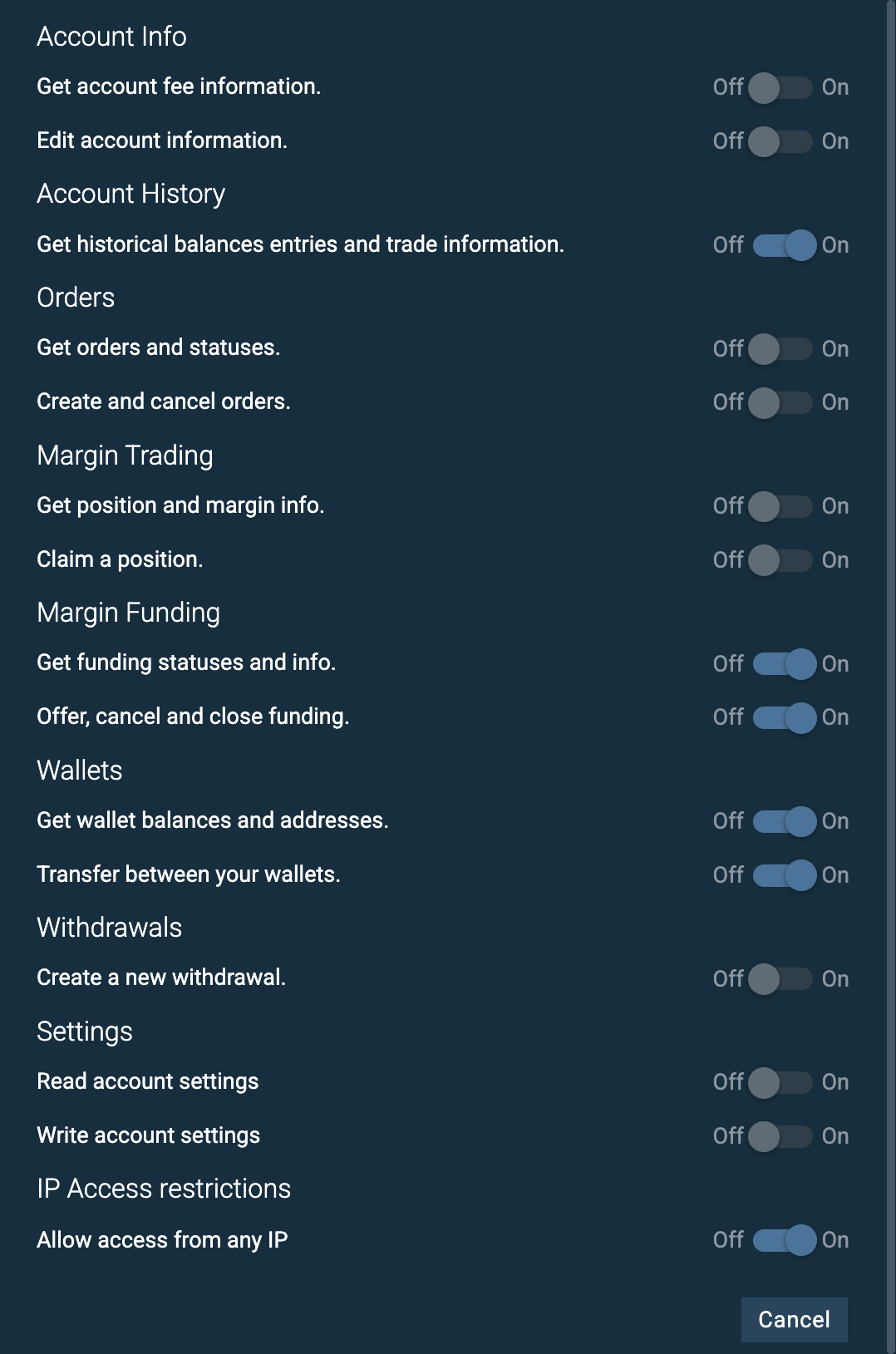 The permissions page when you create a Bitfinex API key. Lending uses Account History, Margin Funding and Wallets. Withdrawals stay off
If you're still comparing tools, read How to choose a Bitfinex lending bot. For exactly which API permissions to turn on, the help page has a screenshot to check against.